> ## Documentation Index
> Fetch the complete documentation index at: https://docs.xsdr.app/llms.txt
> Use this file to discover all available pages before exploring further.
# Webhooks
Webhooks are used to send real-time data to your app or agent automatically. No need to poll or manage complex SSE stream connections. We use [Svix](https://svix.com) to streamline webhook delivery.
## Configuring Webhooks
Go to the [XSDR Dashboard](https://xsdr.app/dashboard) and click **Manage webhooks**
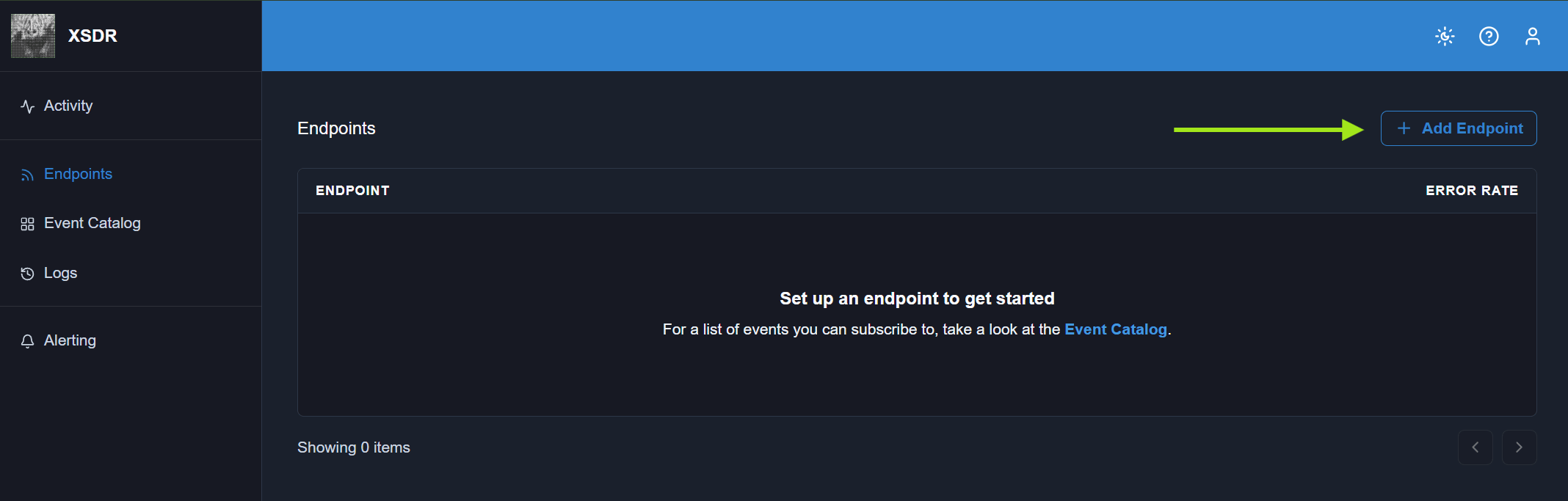
Click **Add Endpoint**
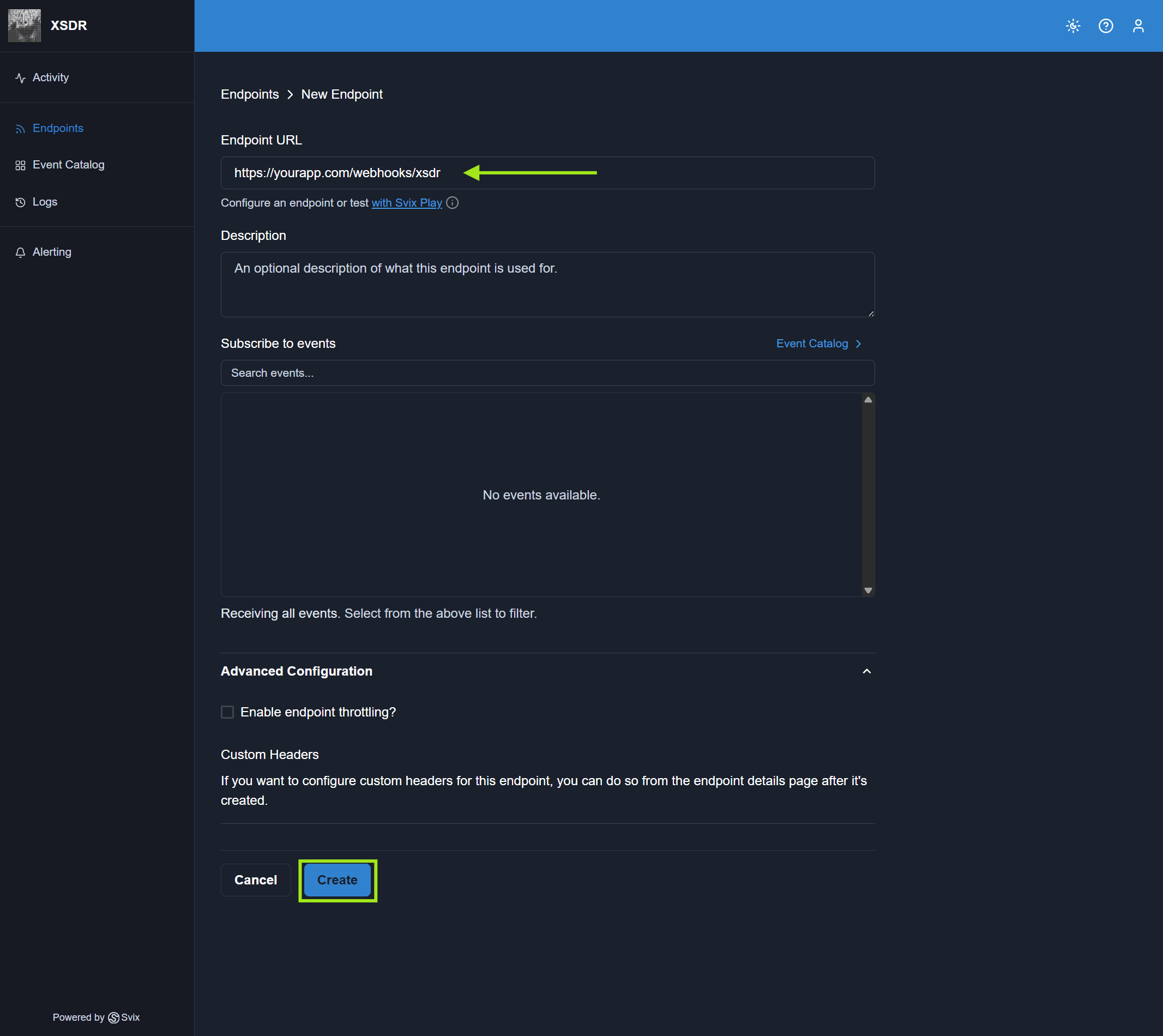
 Add your app or agent's webhook URL. This is where we'll send webhook events.
```
https://yourapp.com/webhooks/xsdr
```
Add your app or agent's webhook URL. This is where we'll send webhook events.
```
https://yourapp.com/webhooks/xsdr
```
 Your webhook must be configured to receive POST requests.
## Security
You should always verify that a webhook event came from XSDR to protect yourself from attackers and spoofers.
When XSDR sends a webhook event, Svix signs the payload using your endpoint's **webhook secret**. The signature includes:
* `svix-id`
* `svix-timestamp`
* `svix-signature`
Please refer to the [official Svix documentation](https://docs.svix.com/receiving/verifying-payloads/how) for guidance on verifying webhook events and reach out on [Discord](https://discord.gg/PjrRU4g3GV) if you need support.
For agents, Svix offers a [skill](https://github.com/svix/ai/tree/main/skills/receiving-webhooks) that can help with securely receiving webhook events.
## Automatic Retries
If your endpoint fails to receive a webhook event, we will retry based on the following schedule, where each period is started following the failure of the preceding attempt:
* Immediately
* 5 seconds
* 5 minutes
* 30 minutes
* 2 hours
* 5 hours
* 10 hours
* 10 hours (in addition to the previous)
You can also retry manually via the webhook portal.
If all attempts to a specific endpoint fail for a period of 5 days, the endpoint will be disabled. The clock only starts after multiple deliveries failed within a 24 hour span, with at least 12 hours difference between the first and the last failure.
Your webhook must be configured to receive POST requests.
## Security
You should always verify that a webhook event came from XSDR to protect yourself from attackers and spoofers.
When XSDR sends a webhook event, Svix signs the payload using your endpoint's **webhook secret**. The signature includes:
* `svix-id`
* `svix-timestamp`
* `svix-signature`
Please refer to the [official Svix documentation](https://docs.svix.com/receiving/verifying-payloads/how) for guidance on verifying webhook events and reach out on [Discord](https://discord.gg/PjrRU4g3GV) if you need support.
For agents, Svix offers a [skill](https://github.com/svix/ai/tree/main/skills/receiving-webhooks) that can help with securely receiving webhook events.
## Automatic Retries
If your endpoint fails to receive a webhook event, we will retry based on the following schedule, where each period is started following the failure of the preceding attempt:
* Immediately
* 5 seconds
* 5 minutes
* 30 minutes
* 2 hours
* 5 hours
* 10 hours
* 10 hours (in addition to the previous)
You can also retry manually via the webhook portal.
If all attempts to a specific endpoint fail for a period of 5 days, the endpoint will be disabled. The clock only starts after multiple deliveries failed within a 24 hour span, with at least 12 hours difference between the first and the last failure.